Part of the QuickInflo suite · See all tools → · LEDES e-billing free with any product
Cut your average AR days and put your credit control on autopilot — stop chasing reminder threads across three inboxes, and let every overdue invoice follow its own escalation cadence automatically, with a paper trail your accountant can audit.
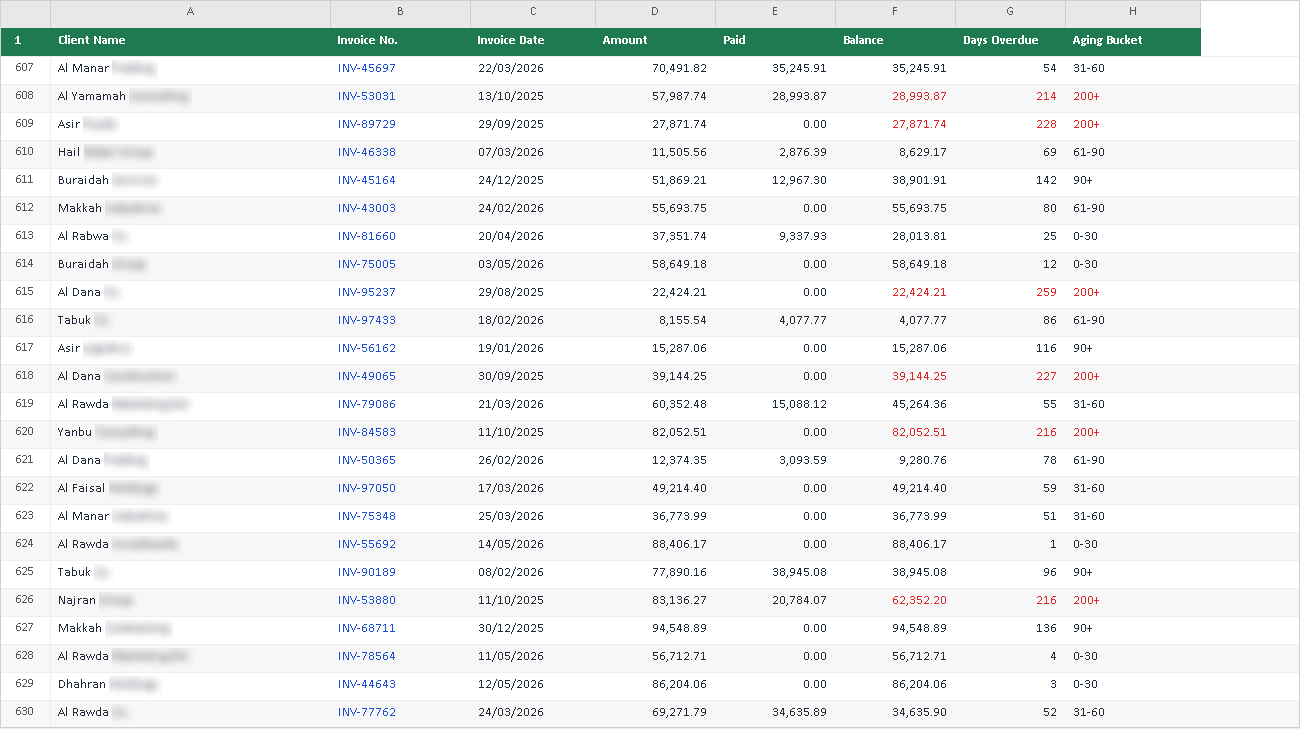
Overwhelmed by 600+ line items to chase? Use QuickInflo's automated tool to do it for you.
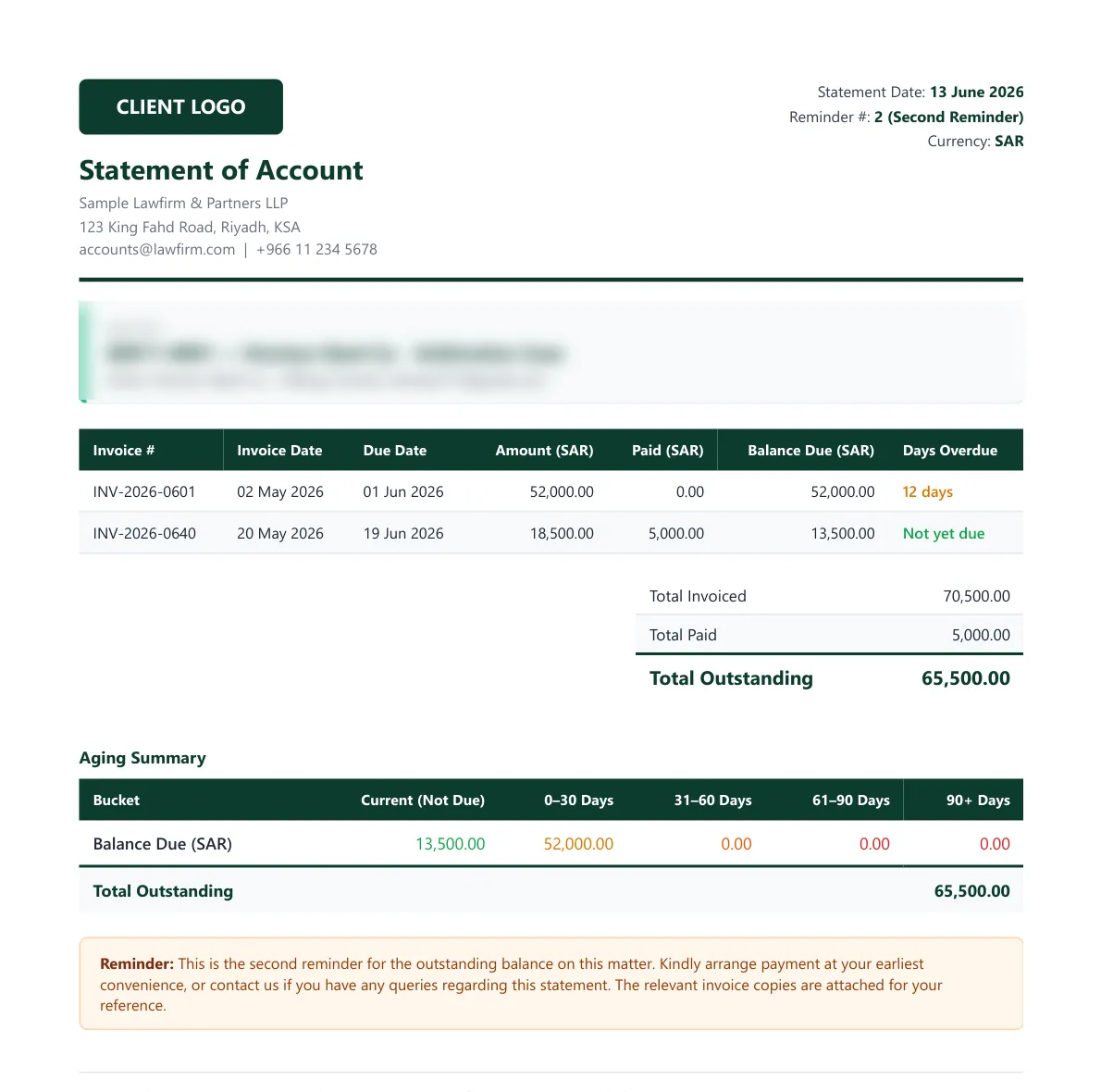
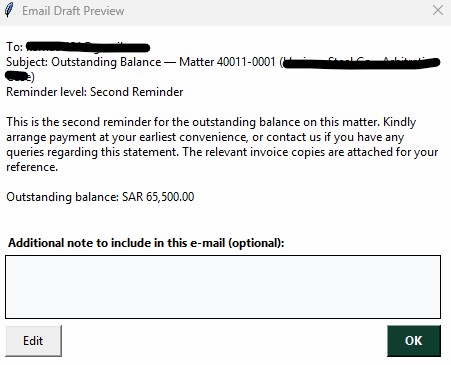
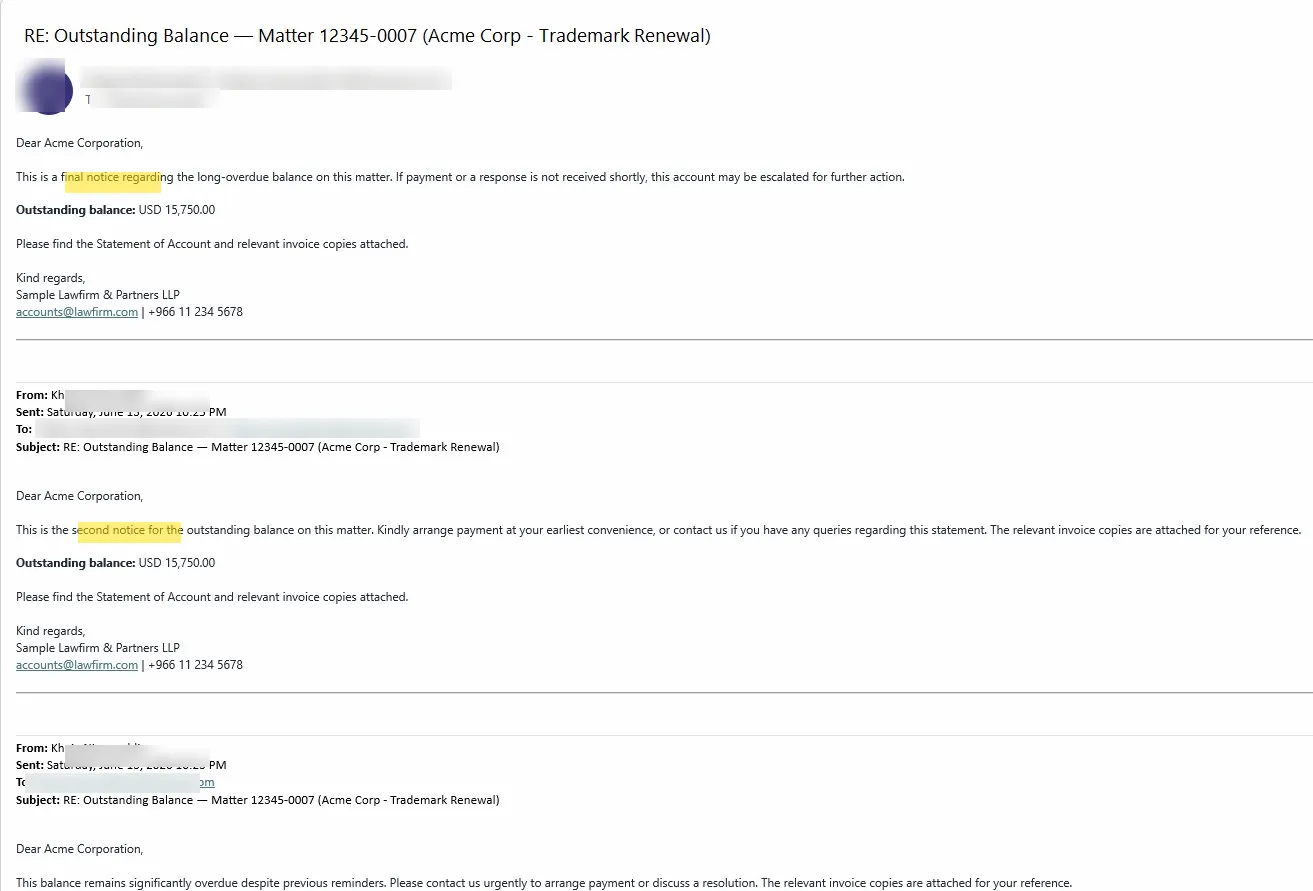
Behind that one screen: a generated Statement of Account ready to attach, and a draft you can read — and edit — before anything is sent. Client, invoice and contact details below are illustrative and blurred.
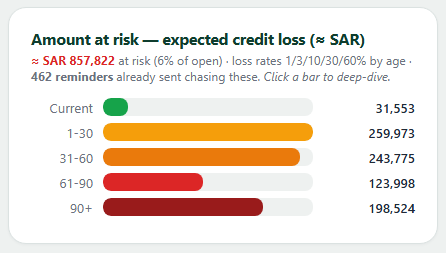
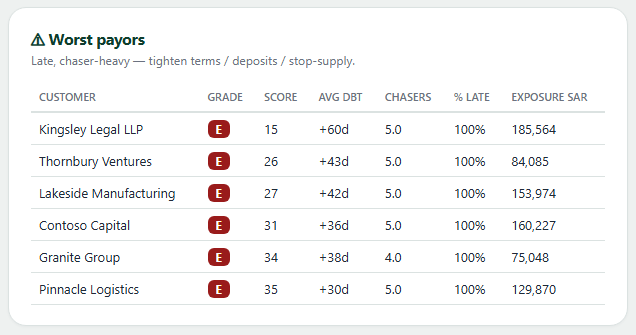
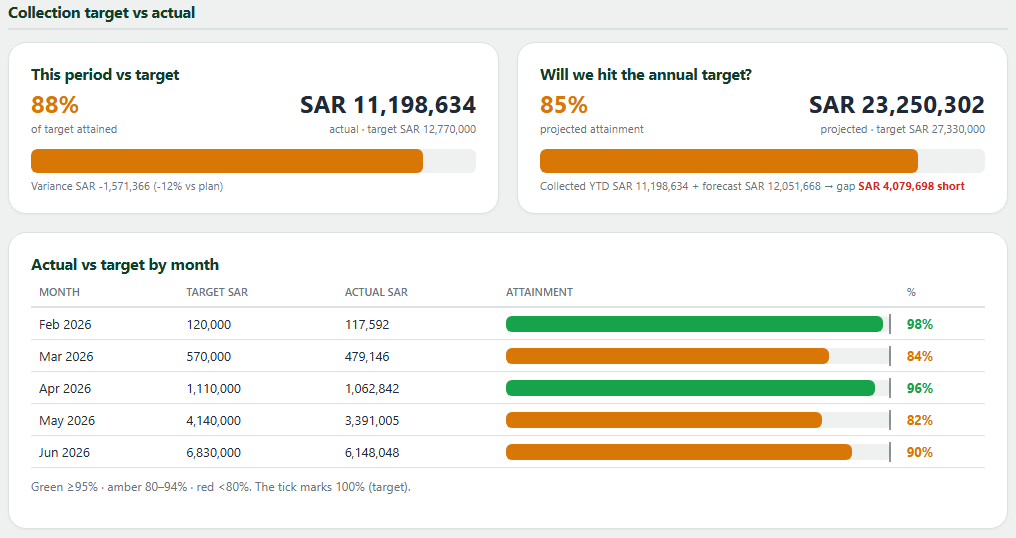
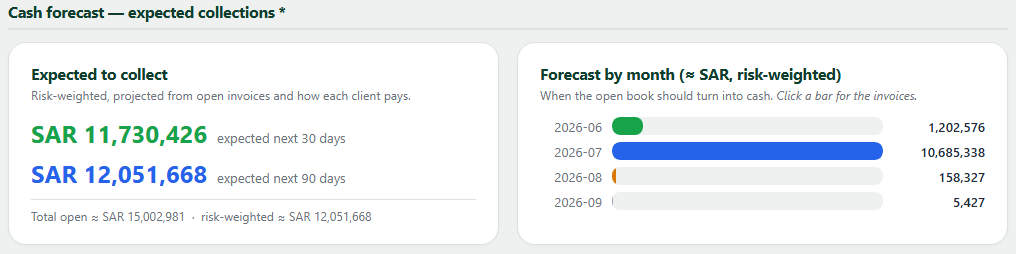
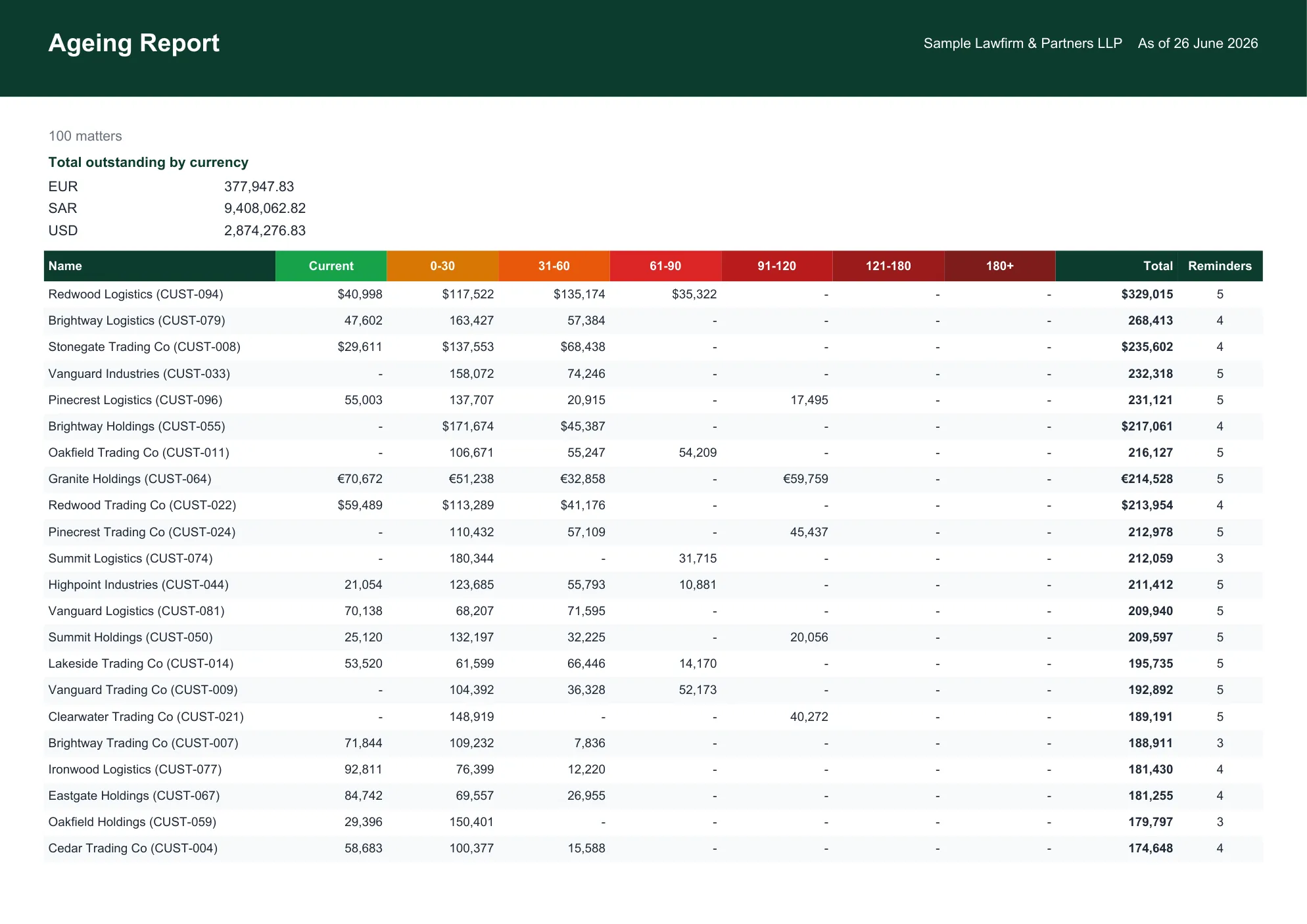
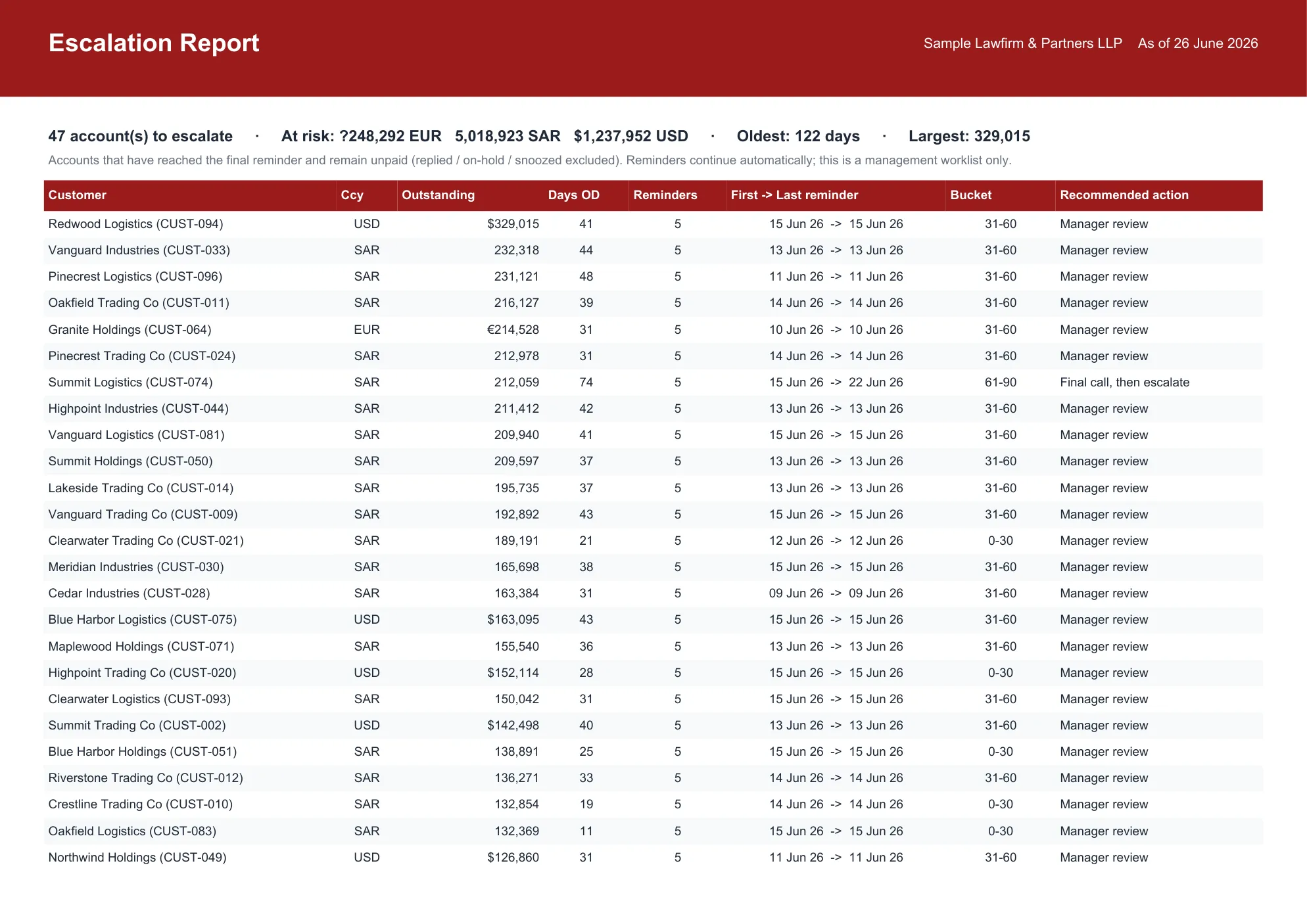
Our AR analytics give you immense insight into your numbers — you'll never look at your receivables the same way again. Names and figures below are illustrative.


Chase every invoice and keep every matter inside budget. The Matter Budget & WIP Monitor tracks every matter's Budget vs Billed + WIP — so nothing quietly turns into a write-off.
And there's more where that came from — QuickTracker draft-bill workflow, ZATCA e-Invoicing and free LEDES e-billing each have their own home. See the QuickSolutions family ↓
Automated follow-ups. QuickInflo drafts and runs your escalating reminders from your own Outlook — every invoice, every time.
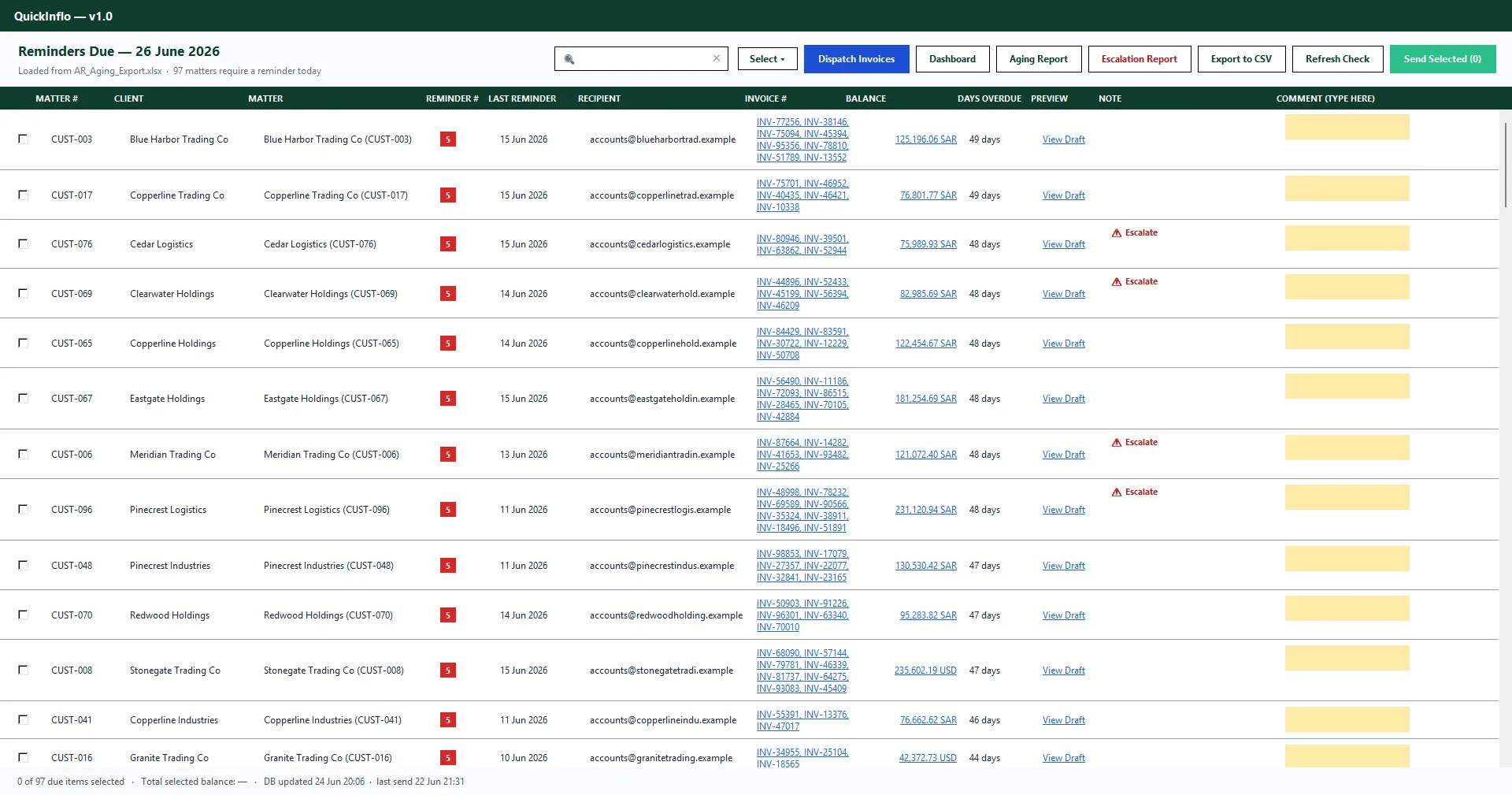
Efficient, organized receivables. Every invoice, balance, and reminder level lives in one queue — no more scattered spreadsheets.
See what's actually due. The queue shows real outstanding balances and overdue days, right now — not last month's snapshot.
SOA & attachments, automatically. Reminder e-mails go out with a generated Statement of Account and the relevant invoices attached.
One thread per client. Follow-ups reply on the original e-mail, so the whole conversation stays in a single chain.
Optional document filing. Save sent reminders and statements straight into your document system — e.g. iManage.
Select, preview, then send. Review every draft before it goes out — nothing leaves your inbox without a human glance.
Collections on autopilot. Frees your team's time to focus on e-billing instead of chasing balances.
Easy to install and use. Works with the AR aging export and Outlook you already have — no new systems to learn.
An illustrative example for a firm chasing ~700 invoices a month. Your numbers will vary — but the pattern doesn't.
Illustrative example based on the QuickInflo ROI model · actual results depend on your receivables profile.
Collections is where most firms start. These companion tools run on the same principle — your data stays on your machine, and you're set up in minutes.
See exactly where every draft bill is stuck — with the associate, partner or biller — and get it approved and billed faster. Full transparency, full audit trail.
See how it works → ZATCA Phase 2Become ZATCA Phase 2 compliant without changing your accounting software — sign, clear and archive your e-invoices automatically.
See how it works → Free with any planTurn your invoices into LEDES 1998B / 1998BI e-billing files your clients' systems accept — no manual re-keying, no rejected uploads. Included free with any QuickInflo product.
Learn more →Want them together? See bundle pricing →
Three products — Collections (AR), e-Invoicing (ZATCA) and QuickTracker — each priced on its own. LEDES e-billing is free with any of them. Buying more than one? We’ll tailor a bundle for you.
See full pricing →No rigid templates. As part of your setup we customize the documents and the wording, so everything that goes out looks and sounds like it came from you.
Your Statement of Account, your format. We build the SOA to match your existing statement layout and branding — so clients receive exactly what they're used to, generated automatically with every reminder.
Reminder emails in your words. We customize the reminder email body — tone, wording and escalation language — to your suggestions, so every follow-up reads like your own team wrote it.
Customization is included in your setup — just send us your current SOA and how you'd like your reminders to read, and we'll match it.
QuickInflo is accounts-receivable automation software, built by a team with 10+ years across legal, operations and sales. We've lived the gap between sending an invoice and actually getting paid — so we built a tool to close it. QuickInflo cuts manual follow-up work by up to ~90% and keeps your clients settling invoices on time, automatically from your own Outlook.
Reads your existing AR aging export and invoice folder — works alongside Outlook and iManage, not instead of them.
Set your own reminder schedule (e.g. 0 / 7 / 14 / 21 / 28 days) and let severity-based logic decide each invoice's reminder level.
A review screen shows every reminder due today — select, preview, and send. Nothing goes out without a human glance first.
Every reminder, date, and reminder level is logged per invoice — ready for your next file review or compliance check.
See it running on your own AR export — bring a sample aging export and we'll show you exactly how the reminder queue, cadence, SOA generation and the new AR analytics would look for your firm. It only takes 10 minutes.